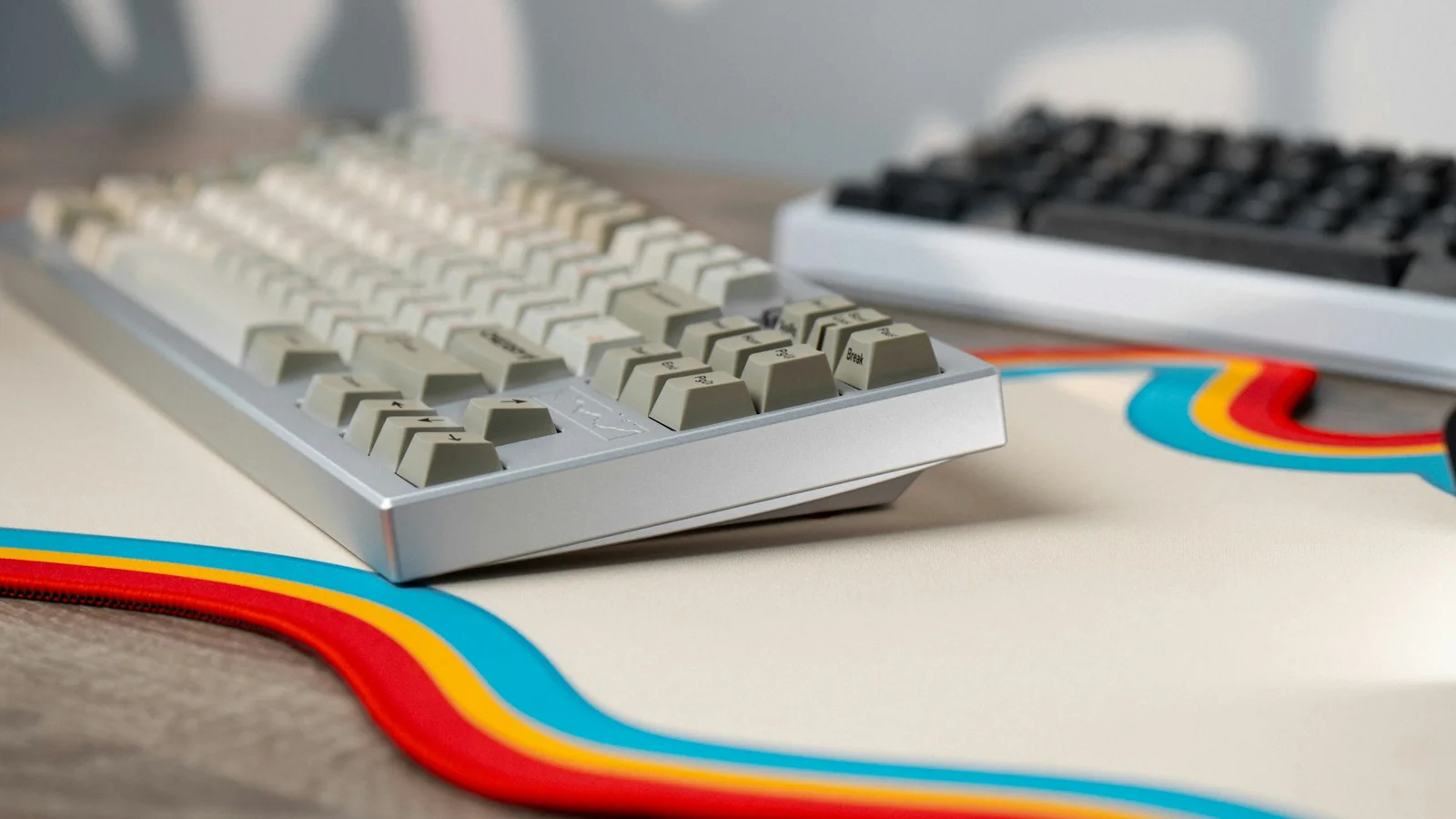
Keyboard percentages answer one narrow question: which sections of a full-size layout are still dedicated keys? They do not promise an exact width, key count, or identical arrangement. A 75% from one manufacturer can differ from another, and ANSI and ISO versions can change the right Shift, Enter, and bottom-row shapes.
If you are buying your first mechanical keyboard, choose the smallest layout that keeps the keys you use without making every shortcut a puzzle. More compact is not automatically better; it is a trade between desk space, mouse room, portability, and function layers.
The quick comparison
| Layout | Usually includes | Usually moves or removes | Good first fit for |
|---|---|---|---|
| Full-size / 100% | Numpad, F1–F12, arrows, navigation cluster | Nothing important is omitted | Daily number entry and spreadsheet work |
| 96% / 1800-style | Numpad, F-row, arrows in a compressed footprint | Gaps between sections | Numpad users who want a narrower board |
| TKL / 80% | F-row, arrows, navigation cluster | Numpad | Most familiar compact desktop setups |
| 75% | F-row, arrows, compact navigation | Numpad and spacing between groups | Small desks that still need F-keys |
| 65% | Arrows and main typing block | F-row and most navigation keys | General work, gaming, and compact desks |
| 60% | Main typing block and modifiers | Dedicated arrows, F-row, navigation cluster | Users comfortable with layers and shortcuts |
| 40% | A much smaller typing block | Number row and more dedicated keys | Enthusiasts who want layers as part of the workflow |
The word “usually” matters. Read the actual diagram or keymap before buying, especially when a board uses a compact or non-standard arrangement.
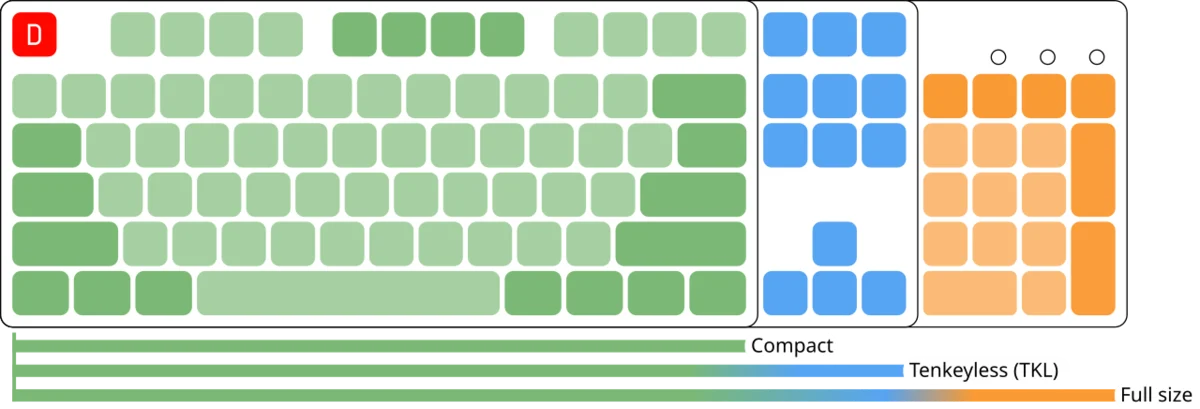

Full-size / 100%: every common key is present
A full-size board normally has roughly 104–108 keys in an ANSI-style arrangement: the main typing block, a complete function row, arrows, navigation keys, and a dedicated numpad. Expect an indicative width around 43–46 cm, but case design and spacing change the result.
Choose it when:
- You enter numbers often enough that a row of numbers feels slow.
- You use spreadsheet navigation, accounting, or data-entry shortcuts daily.
- You want a familiar layout without a function layer.
Think twice when:
- Your mouse ends up far to the right and your shoulder feels crowded.
- You need a travel-friendly keyboard or have a narrow desk.
- You rarely use the numpad.
A separate numpad can be a useful alternative: keep the main keyboard closer to the mouse and bring the number pad out only when you need it.
96% or 1800-style: numpad with less width
A 96% or “1800” layout keeps a numpad while compressing or moving the gaps between blocks. The function row and navigation keys may be close to the main area. This can save desk space without giving up number entry.
Best for: people who want a numpad but dislike the full-size width.
Trade-off: key positions and spacing are less visually familiar, and replacement keycap sets may have unusual sizes. Check the exact bottom row, right Shift, and navigation column.
TKL / 80%: the familiar balanced option
TKL removes the numpad but retains the function row, arrows, and a navigation cluster. An indicative width is often around 35–38 cm. It is a strong choice when you want more mouse room but do not want to learn layers for everyday work.
Choose TKL when:
- You use F-keys, arrows, Home, End, or Page keys directly.
- You play games with a wide mouse movement area.
- You switch between a laptop and a desktop and want a familiar layout.
Trade-off: numerical entry uses the number row or a separate numpad.
75%: compact without giving up the function row
A 75% layout usually keeps the F-row and arrows, but compresses the navigation cluster and removes the numpad. Keys are close together, and Delete, Home, End, or Page keys may form a narrow column or use a function layer. Width is often around 31–33 cm, but verify the product drawing.
Choose 75% when:
- You use F-keys for software shortcuts but need more mouse space.
- You want a compact board without going straight to a 60% layer-heavy layout.
- Your desk is narrow but your workflow still expects a function row.
Trade-off: the compressed navigation area can cause mis-presses while you adapt. “75%” is not one universal keymap.
65%: arrows with a smaller footprint
A 65% layout normally keeps the main typing block and dedicated arrows, sometimes adding a few navigation keys on the right. It removes the function row and numpad. Expect an indicative width around 30–32 cm, with variation from case shape and layout.
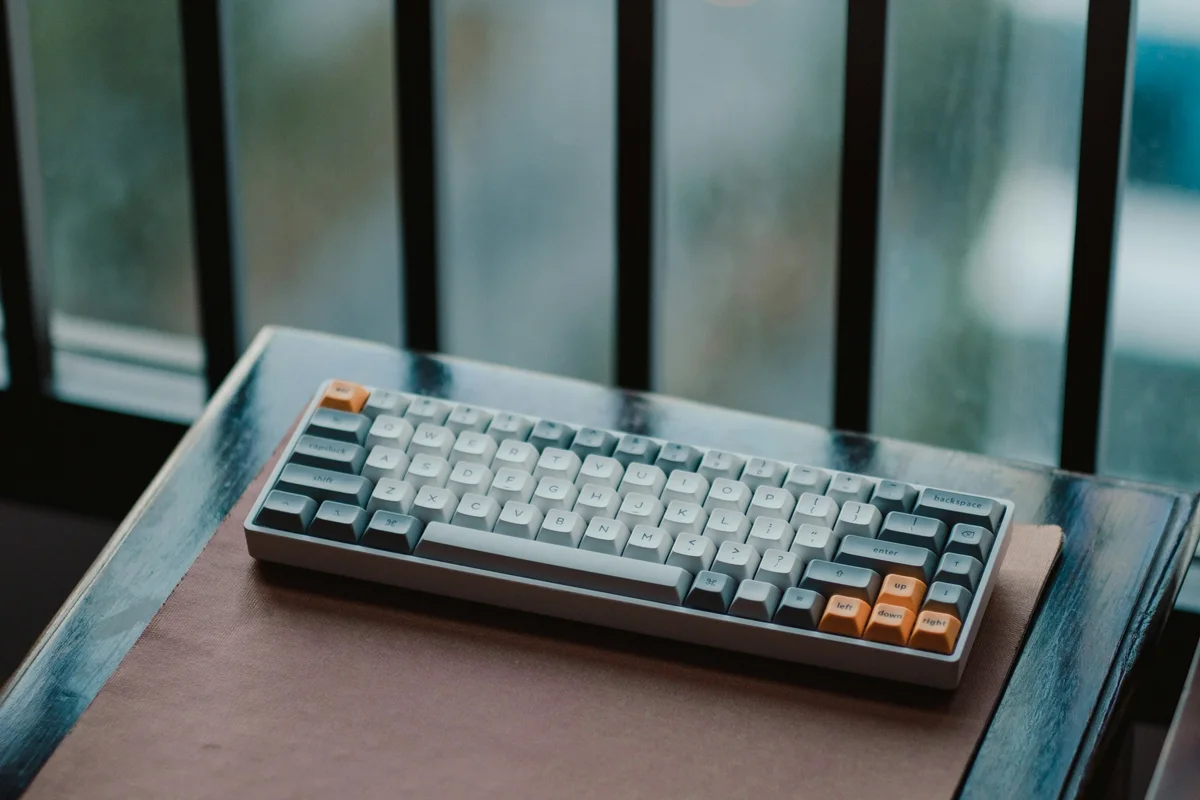
Choose 65% when:
- You use arrows often and do not need dedicated F-keys every minute.
- You want a compact first keyboard for mixed typing and gaming.
- You are willing to hold Fn for Delete, Home, or F1–F12 occasionally.
A well-labelled function layer makes the transition easier. Before buying, find the board’s default keymap so you know where arrows and navigation keys live.
60%: maximum space, maximum layer dependence
A 60% keeps the alphanumeric block and modifiers while removing dedicated arrows, F-keys, and navigation keys. Those functions normally live on a second layer accessed with Fn plus another key. The board may be around 29–31 cm wide, but dimensions vary.
Choose 60% when:
- Mouse space and portability are more important than dedicated keys.
- You already use keyboard shortcuts comfortably.
- You are happy to customize layers through VIA, QMK, or the board’s software.
Think twice when:
- You use arrows, F-keys, or navigation constantly.
- You are still learning touch typing and do not want two adjustments at once.
- You switch between many applications with different function-key shortcuts.
A 60% is not worse than a TKL. It simply asks you to remember a different map.
40% and ortholinear layouts: a specialist choice
A 40% removes more dedicated keys, often including the number row, and relies on layers. Ortholinear boards arrange keys in straight columns rather than the staggered rows familiar from most laptops. These can be comfortable and efficient for experienced users, but they are rarely the easiest first keyboard unless you specifically want to learn the layout.
Desk fit is more than width

Make a paper rectangle for the candidate dimensions and place it on your desk for an hour. Check:
- Mouse clearance: Can your elbow and wrist move without hitting the keyboard?
- Depth: Does the case, cable, and wrist rest leave room for your monitor or laptop?
- Height: A tall case can change your wrist angle even if its width is perfect.
- Numpad position: A right-side numpad can move the mouse farther away. A separate numpad can sit on the left or be stored.
- Portability: A compact board is easier to carry, but a smaller layout may slow you down away from your main setup.
Do not use a keyboard percentage as an ergonomic guarantee. Neutral shoulders, a comfortable reach, and the ability to move the mouse matter more than a number in the product title.
ANSI, ISO, and keycap compatibility
ANSI and ISO are common physical layout families. ISO usually has a taller Enter key and a different left Shift arrangement, while regional variants can add or change legends. A board may support one layout in its PCB and plate even when the case looks similar.
Before planning a keycap upgrade, check:
- The physical layout and language legends you need.
- Bottom-row widths, right Shift, and the spacebar size.
- Whether stabilizers use the common Cherry-style arrangement.
- Whether the keymap matches your operating system.
How to choose in five minutes
- Need a numpad every day? Full-size or 96%.
- Need a numpad sometimes? TKL plus a separate numpad may be more flexible.
- Need F-keys and arrows with less width? 75%.
- Need arrows but want a very compact board? 65%.
- Want the most mouse room and accept layers? 60%.
- Want a custom layer-based workflow? 40% or another specialist layout.
For a first purchase, choose based on your least convenient daily key, not the most attractive percentage. Pair this decision with the first keyboard buying guide and the budget guide.
Size checklist
- I measured the actual clear space on my desk.
- I know whether I use a numpad, arrows, F-keys, and navigation keys daily.
- I checked the board’s real dimensions rather than relying on “65%” or “75%”.
- I considered mouse position and shoulder comfort.
- I checked ANSI/ISO support and replacement keycap sizes.
- I looked at the default function layer for any compact layout.
- I am willing to give myself an adjustment period after changing sizes.
The best keyboard size is the one that leaves enough room for your work and keeps the keys you reach for without thought. A slightly larger board that fits your habits will outperform a tiny board that makes every edit or arrow press frustrating.