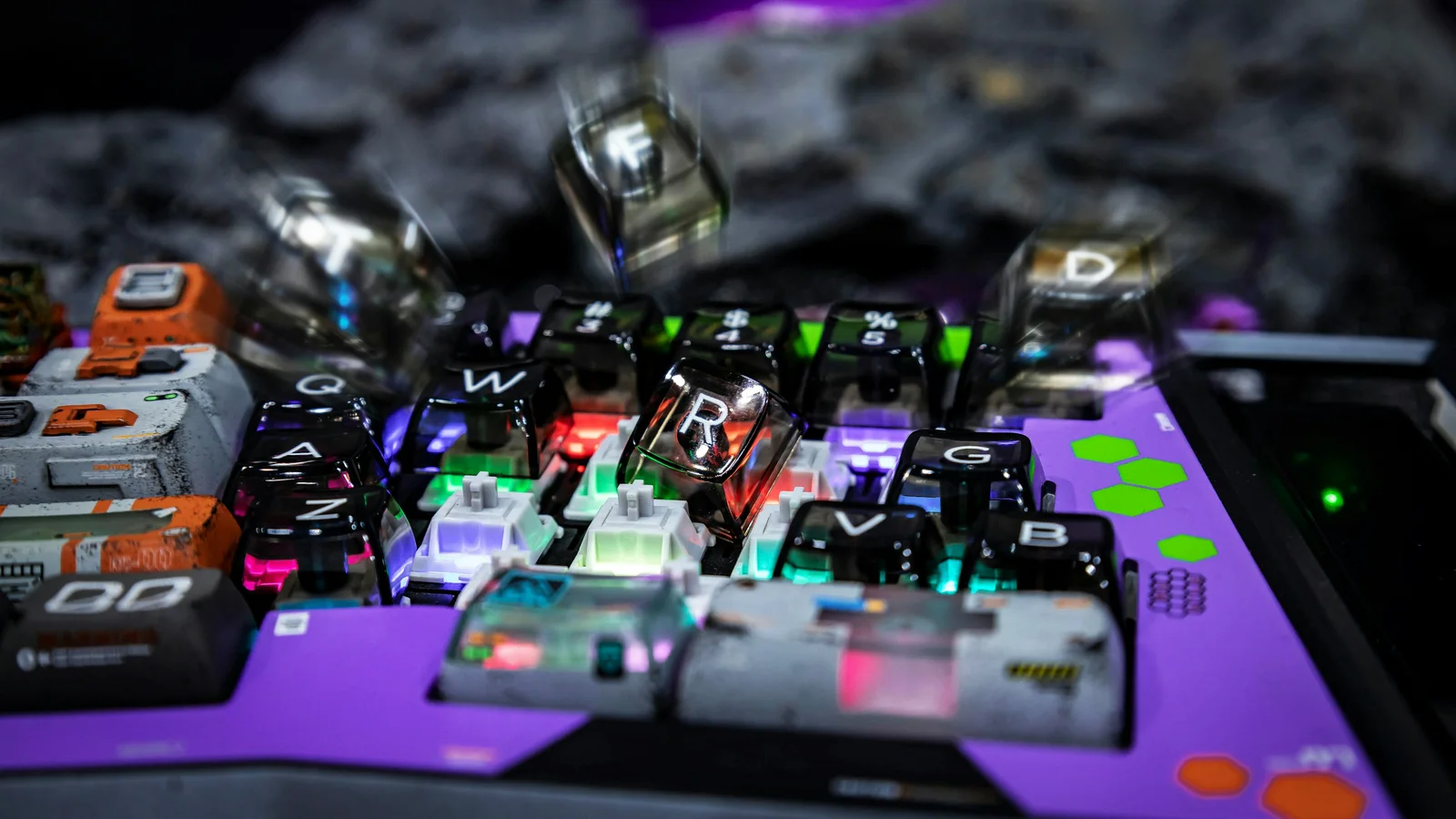
New to mechanical keyboards? Use this glossary as a quick reference for the terms that appear in product pages, build guides, and enthusiast discussions. Each definition is written to stand on its own, so you can look up one term without reading the rest of the page.
A
Actuation force: The force needed for a switch to send a keypress signal. It is commonly described in grams-force; a lighter value generally requires less pressure, but it does not predict comfort for every typist.
Actuation point: The point in a keypress where the switch registers the input. It occurs before the key necessarily reaches the bottom of its travel.
ABS: Acrylonitrile butadiene styrene, a plastic often used for keycaps. ABS can feel smooth and may develop a polished shine where fingers repeatedly touch it.
B
Bottom out: Pressing a key until the stem or keycap reaches the end of its travel. A typist can bottom out on every press or learn to stop near actuation.
Bottom-out force: The force required to press a key all the way down. It is not the same measurement as actuation force.
C
Chatter: Repeated or inconsistent registration from one physical press, such as aa appearing after typing one a. It can come from switch wear, contamination, or debounce behavior.
Clicky switch: A switch designed to produce a distinct audible click in addition to its keypress feedback. The sound can be unsuitable for shared spaces.
Clack: A bright, sharp keyboard sound, often produced by the interaction of keycaps, switches, and a rigid case or plate. It describes sound, not a particular switch type.
Custom keyboard: A keyboard assembled or configured from separately chosen parts rather than used exactly as a pre-built product. The parts still need compatible sizes, mounting, electronics, and firmware.
D
Debounce: A method of filtering the brief electrical fluctuation that can occur when a switch contact closes. Too little filtering can cause chatter; too much can affect responsiveness.
Doubleshot keycap: A keycap molded from two layers of plastic so the legend is a separate piece of material. The legend is not a surface coating, although the keycap can still wear in other ways.
Dye-sublimation: A printing process that transfers dye into keycap plastic with heat. The result is a durable legend whose color and contrast depend on the plastic and print design.
F
Firmware: The low-level software stored on the keyboard’s controller. It scans key inputs and decides which signals, layers, lighting, and other behaviors the board can provide.
Foam mod: Adding a shaped foam layer inside a keyboard to change resonance or reduce hollow sound. It can also change feel if it alters how parts are supported.
G
Gasket mount: A mounting method in which the plate or assembly rests on compressible gaskets between the plate and case. The result depends on gasket material, placement, plate, and overall construction.
Ghosting: An unintended key appearing when several keys are pressed together. Anti-ghosting circuitry and firmware are designed to prevent or limit this behavior.
H
Hot-swap: A socketed PCB design that lets compatible switches be replaced without soldering. The switch, socket, pin count, and plate must still be compatible.
K
Keycap: The removable top piece pressed by the typist. Keycaps differ in material, shape, height, texture, legend method, and compatibility with switch stems.
Keycap profile: The height and shape of a keycap set, often varying by row. A profile changes hand position, sound, and the feel of neighboring keys.
Keyswitch: The spring-loaded mechanism under a keycap that detects a press. A typical switch includes a housing, stem, spring, and electrical contacts.
L
Layer: An alternate keymap assigned to the same physical keys. A layer can expose arrows, function keys, media controls, or shortcuts when it is held, toggled, or selected.
Layout: The physical arrangement, spacing, and number of keys. Full-size, TKL, 75%, 65%, 60%, and 40% describe broad size families, not one universal standard.
Legend: The printed or molded symbol on a keycap, such as a letter, number, or arrow. A blank keycap has no visible legend.
Linear switch: A switch with a smooth force curve and no intentional tactile bump or click. Its sound still depends on the keycap, plate, case, and typing technique.
Lubing: Applying a suitable lubricant to selected switch or stabilizer surfaces to change friction and sound. Incorrect lubricant or excessive application can damage materials or make a switch sluggish.
M
Macro: A stored sequence of keyboard events triggered by one key or shortcut. Macro support and behavior depend on the firmware, configurator, and application receiving the events.
Mechanical switch: A switch with moving mechanical parts that provide the key’s travel and electrical actuation. “Mechanical” does not specify whether the switch is linear, tactile, clicky, light, or heavy.
N
N-key rollover (NKRO): The ability of a keyboard to report many simultaneous key presses without dropping them, within the limits of its connection and firmware. It is different from anti-ghosting, though products often discuss them together.
O
O-ring: A small rubber ring fitted to a keycap stem to cushion bottom-out impact and shorten travel slightly. It can soften sound but may also make the key feel less crisp.
P
Plate: A rigid layer that holds switches in position above the PCB. Plate material and flexibility influence stability, sound, and feel.
PCB: A printed circuit board that connects switches, sockets, diodes, the controller, and other electronics. It can be designed for soldered switches, hot-swap sockets, or both in different versions.
PBT: Polybutylene terephthalate, a keycap plastic often associated with a textured feel and resistance to shine. Texture and sound still vary by manufacturer and molding process.
Q
QMK: Open-source keyboard firmware that lets a user define keymaps and custom behaviors, compile them, and flash them to a compatible controller. It requires careful matching of board, layout, and firmware.
R
RGB: Lighting that mixes red, green, and blue channels to produce colors. RGB can be per-key, zoned, or underglow, and the available controls depend on the hardware and firmware.
S
Stabilizer: A mechanism that keeps a long key such as Space, Shift, Enter, or Backspace moving evenly. Rattle can come from fit, wire movement, housing tolerance, or lubrication.
T
Tactile switch: A switch with a noticeable change in resistance during the press. The size and position of the bump vary, and a tactile switch is not necessarily loud.
V
VIA: A visual keyboard configurator that can edit the functions exposed by compatible firmware. VIA support is board-specific; a keyboard that uses QMK is not automatically VIA-compatible.
W
Wireless keyboard: A keyboard that sends input over Bluetooth, a 2.4 GHz receiver, or another radio link instead of a continuous cable. Battery life, pairing, latency, and lighting behavior vary by connection mode.
For the parts behind these terms, read keyboard anatomy. To understand the three broad switch families, see mechanical switch types. For programming terms, continue with VIA, QMK, and layers, and for lighting vocabulary see RGB lighting explained.