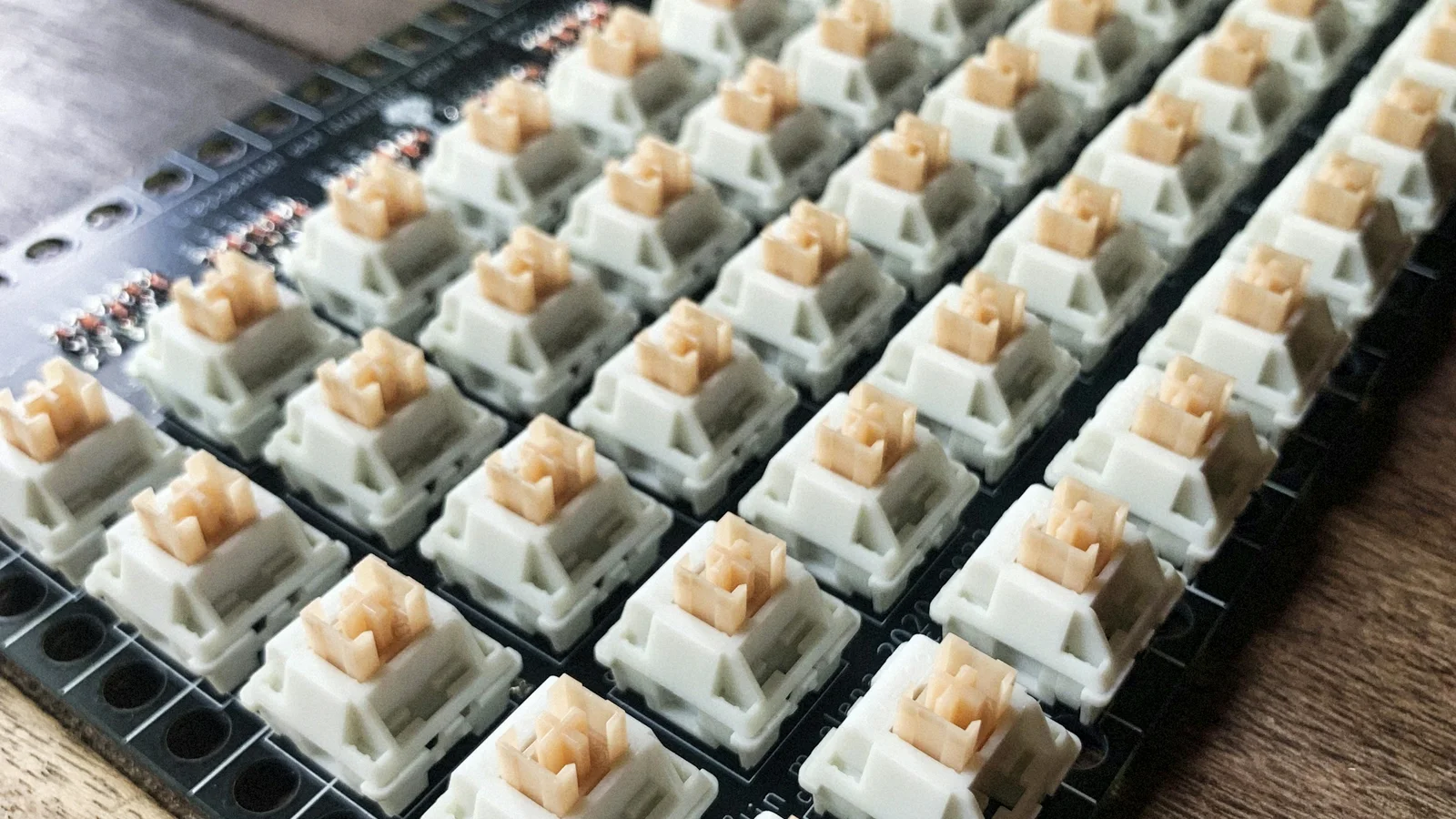
A useful mechanical switch comparison starts with your intended use, not a brand leaderboard. Compare the switch category, actuation force, travel, sound, compatibility, and the way you actually type. A switch that feels ideal for one person can feel too light, too loud, or too abrupt to someone else.
Compare the experience before the number
| Switch family | Feedback | Typical force orientation | Travel orientation | Sound tendency | Common decision intent |
|---|---|---|---|---|---|
| Linear | Smooth, no intentional bump | Light to heavy | Standard or short | Low to moderate, depending on impact | Uninterrupted presses, mixed use, gaming |
| Tactile | Physical bump | Light to heavy | Usually standard | Moderate, depending on bump and impact | Typing feedback without a dedicated click |
| Clicky | Bump plus click | Light to heavy | Usually standard or short | High by design | Audible confirmation in a private space |
| Silent linear | Smooth with damped landing | Light to heavy | Standard or short | Lower impact noise, not silent | Shared rooms and microphone-sensitive setups |
| Silent tactile | Bump with damped landing | Light to heavy | Usually standard | Lower impact noise, not silent | Tactile feedback with less impact noise |
These are tendencies, not performance guarantees. “Fast,” “quiet,” and “smooth” can describe different parts of a switch, and a keyboard build can outweigh the label on the package.
Actuation force is not the whole story
Actuation force is the force needed for the switch to register. Bottom-out force describes the force near the end of the press. Spring weight is related to the spring’s behavior, but manufacturers do not always publish measurements in the same way. A force number without a curve or test method is only a rough reference.
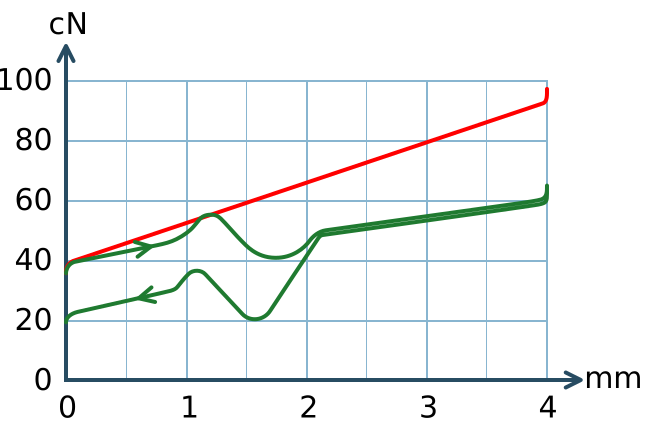

Use this starting guide:
- Around 35–45 g: light presses that may suit low-force typists, but can increase accidental inputs.
- Around 45–60 g: a middle range often worth testing for general typing and gaming.
- Around 60 g and above: more deliberate presses that some people enjoy and others find tiring.
A tactile bump changes the force curve, so two switches with the same advertised actuation force can feel very different. Test the force in the context of the bump, spring, friction, keycap, and your typing technique.
Travel distance and actuation point
Pre-travel is the distance before the key registers. Total travel is the distance from rest to bottom-out. Many standard MX-style switches sit near 4 mm total travel with actuation around 2 mm, while low-profile and speed designs can be shorter. Exact values vary by switch family and revision.
Short travel can reduce finger movement and make a board feel more immediate. It can also feel sensitive, change the bottom-out experience, and increase accidental presses while you adapt. Do not treat a shorter travel figure as proof of better gaming performance.
A practical comparison of familiar model families
The examples below are reference points, not rankings. Published specifications can differ by revision, and the same family name does not make two manufacturers feel identical.
| Example | Category | What it helps you compare |
|---|---|---|
| Cherry MX Red | Linear | A familiar light-to-medium standard linear reference |
| Cherry MX Brown | Tactile | A moderate tactile bump without a dedicated click |
| Cherry MX Blue | Clicky | A classic audible click mechanism |
| Gateron Yellow | Linear | A medium linear option often compared with other MX-style linears |
| Gateron Brown | Tactile | A moderate tactile option from the same broad family |
| Kailh Box White | Clicky | A click-bar design with a distinct sound character |
| Silent linear or tactile variants | Silent | How dampers change impact noise and bottom-out feel |
The best match depends on your force preference, environment, keycap, and board. Use mechanical switch types when you need a deeper explanation of the categories rather than a model list.
How brands and models differ
Brand names can help you organize a shortlist, but they are not a substitute for the exact switch specification.
- Cherry MX models are a long-running reference for standard MX-style switches and are widely used as comparison points. Check the exact model’s force, travel, sound, and mount details.
- Gateron offers many linear, tactile, clicky, and silent families. The feel can vary between generations and product lines, so do not transfer one model’s reputation to every model.
- Kailh covers standard MX-style, Box, click-bar, speed, and low-profile designs. The “Box” or “Choc” name can signal physical differences that affect keycaps and compatibility.
- Akko and other enthusiast brands often publish model-specific force curves and factory-lubrication details. Treat those details as useful evidence, not as a promise that every unit will be identical.
Factory lubrication, stem wobble, spring noise, tolerances, and batch variation can matter as much as a headline specification. A switch may also change after break-in or after lubrication, so reviews should be read as observations rather than universal facts.
Sound: compare the whole keyboard
A switch comparison that only says “quiet” or “loud” leaves out most of the acoustic chain. Sound comes from the switch’s click or impact, the keycap, the plate, the case cavity, the stabilizers, the desk, and the force and rhythm of your typing.
Silent switches use dampers to reduce bottom-out and return noise, but they do not remove stabilizer rattle, desk resonance, or every keycap sound. Clicky switches are built around an audible event, so avoid them when quiet is non-negotiable. For a broader acoustic checklist, see understanding keyboard sound.
Compatibility checklist
Before ordering a full set, confirm:
- Mounting style: standard MX-style switches commonly use 3 or 5 pins. A plate can stabilize 3-pin switches, but verify the PCB and plate.
- Keycap stem: standard MX-style stems fit most MX-compatible keycaps; low-profile systems need their own caps.
- Socket: hot-swap sockets are not all interchangeable. Check the socket type, switch orientation, and supported layout.
- Sensing method: optical and Hall-effect switches need matching PCBs and firmware. They do not plug into a conventional mechanical PCB just because the outside looks similar.
- Layout: stabilizer sizes and nonstandard keys can matter as much as the switch itself.
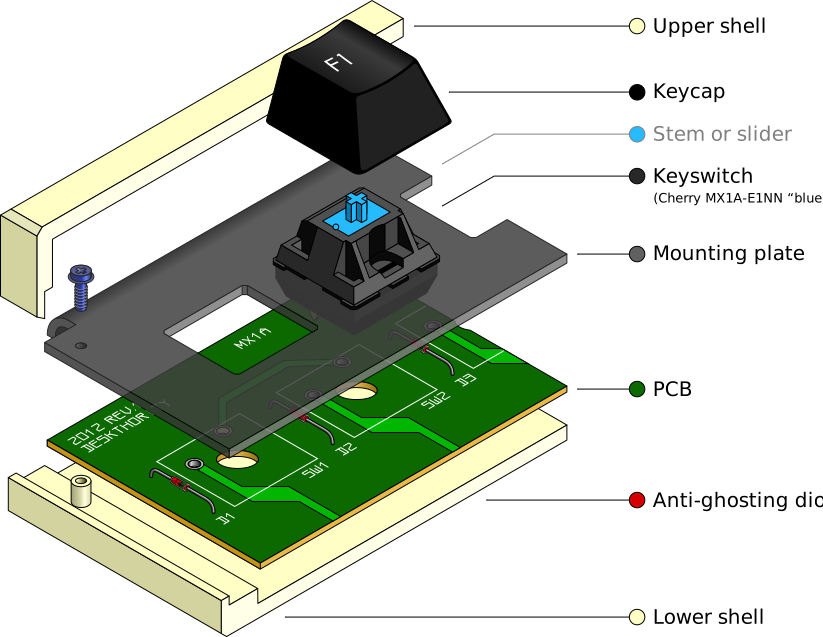

The keyboard anatomy guide shows where the PCB, plate, stabilizers, switches, and keycaps meet.
Choose by decision intent
- I want a smooth, all-purpose press: start with a linear switch in a moderate force range, then compare spring feel and sound.
- I type for hours and want feedback: try a tactile switch, choosing the bump shape before chasing a brand name.
- I share an office or room: look at silent linear or tactile options and also plan for stabilizer and case noise.
- I want the classic click: choose clicky only when the sound is welcome in the space where you type.
- I make accidental presses: test a slightly heavier switch or a more pronounced tactile event, but do not assume heavier is automatically more comfortable.
- I play fast games: compare consistency, force, travel, and your control of repeated presses rather than trusting a “speed” label.
Test before committing
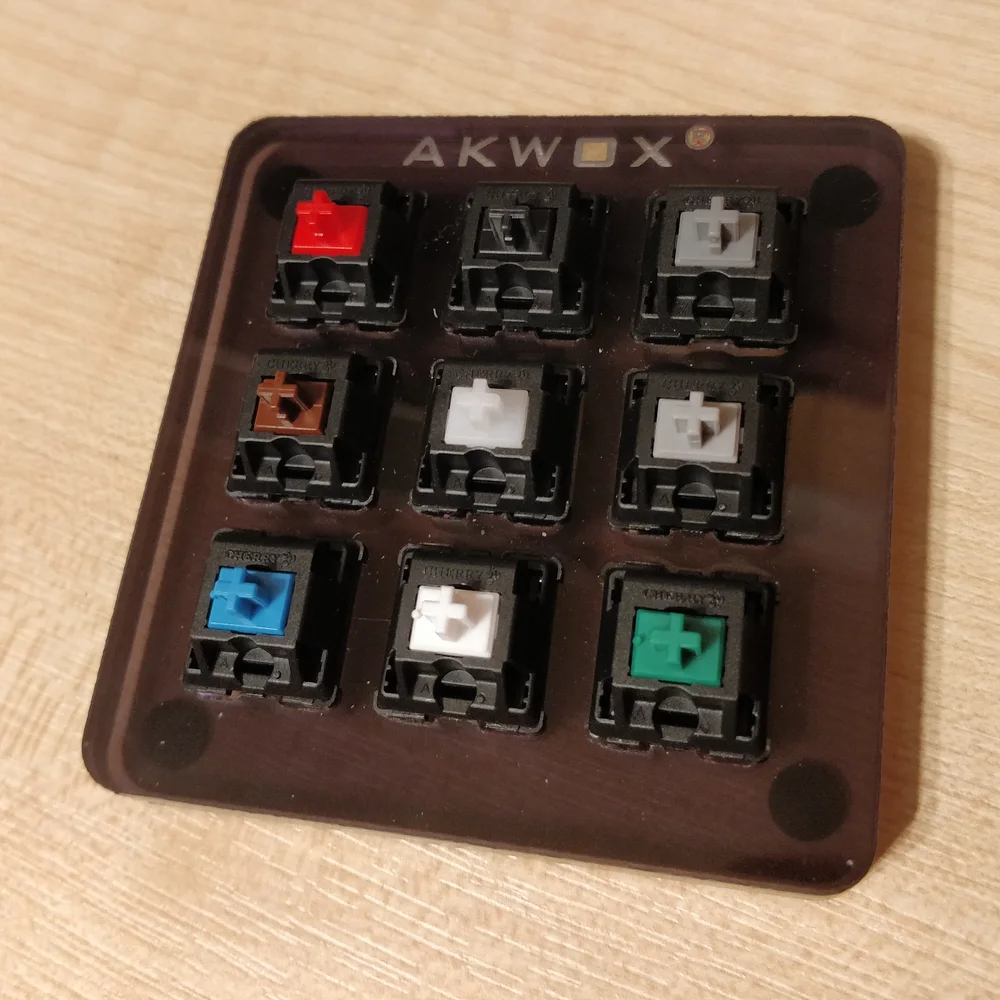
A switch tester or sample pack lets you compare feel without buying enough switches for a complete keyboard. Test several forces within the same category, then compare the categories using the same keycap if possible. Listen on the desk where you will actually use the board, especially if a shared room or microphone is involved.

There is no permanent “best switch.” Narrow the choice by environment and typing style, verify compatibility, and use measurements as clues. The final comparison should be between what your fingers and ears prefer, not between marketing labels.