


“Gaming keyboard” and “typing keyboard” are useful shopping labels, but they are not separate species. A stable mechanical keyboard can work well for games, coding, and long documents. RGB, aggressive case angles, and a large software suite do not automatically improve input. Start with the features that affect your hands, desk, connection, and actual game.
The quick answer
For most people, choose a keyboard that is comfortable to type on, fits your mouse space, and has a reliable wired or 2.4 GHz connection if competitive gaming matters. A modern mechanical board usually already provides adequate rollover and anti-ghosting. Pay extra for adjustable actuation, rapid-trigger behavior, or very high polling only when you understand why you need it and the rest of the input path supports it.
A typing-focused board is not automatically faster, and a gaming-branded board is not automatically more responsive. The right choice can be one keyboard that does both jobs.
What matters for gaming
| Feature | What it means | Sensible first-buyer view |
|---|---|---|
| Polling rate | How often the keyboard reports to the computer | 1000 Hz is a common baseline; higher figures are not a guarantee of a better game |
| Scan and processing | How the board detects and handles the press | Firmware and hardware implementation matter more than one headline number |
| Connection | Wired, 2.4 GHz, or Bluetooth path to the computer | Wired is simple; 2.4 GHz can be low-latency; Bluetooth favors convenience |
| Switch behavior | Force, travel, actuation point, and reset | Choose the feel and accidental-press control that suit you |
| Rollover | Number of simultaneous keys the board can register | 6KRO is often enough; NKRO is common and useful for compatibility |
| Anti-ghosting | Matrix design that avoids unintended key events | Check the actual specification and test unusual combinations if relevant |
| Programmability | Remaps, layers, macros, and profiles | Useful for MMO bindings or workflows, not required for every game |
| Layout | Access to arrows, function keys, and mouse room | Often more important than branding or RGB |
Polling rate and latency without the hype
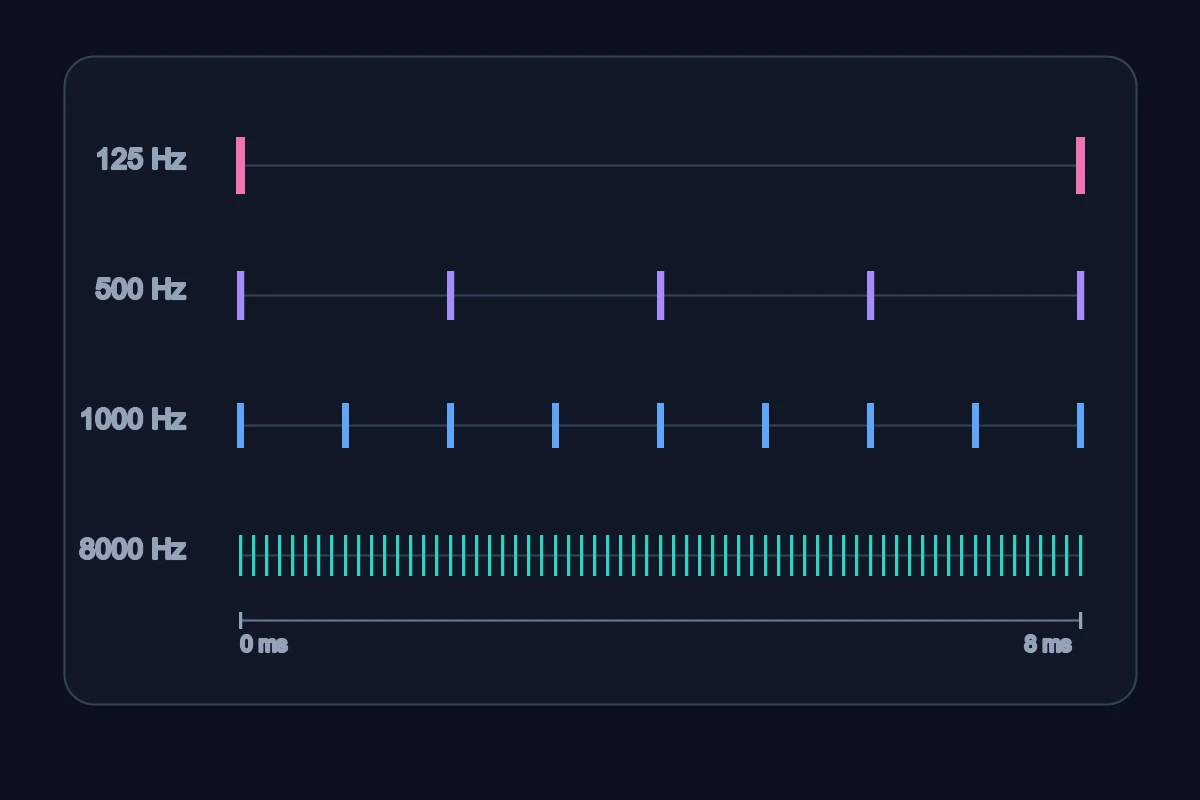
At a simple level, a 1000 Hz polling interval is about 1 ms and 500 Hz is about 2 ms. That is a difference in the maximum reporting interval, not a complete measurement of “keyboard latency.” Scan rate, switch debounce or sensing, firmware, USB or radio scheduling, the operating system, the game engine, display refresh, and your network all sit elsewhere in the chain.
Higher polling can also require more power or processing. It may be a reasonable specification for a competitive setup, but it is not a substitute for a good switch, stable firmware, or a layout that lets you press the right key reliably. Many players will not perceive a practical difference between competent modern implementations at common polling rates.
Wired versus 2.4 GHz versus Bluetooth
- Wired USB-C: No battery, no receiver, and a straightforward failure path. It is the easiest default for a desk-bound competitive setup.
- 2.4 GHz: Often designed for low-latency wireless and more suitable for games than Bluetooth. Keep the receiver close, charge the board, and check whether the keyboard falls back to a different mode.
- Bluetooth: Great for laptops, tablets, and multiple devices. Sleep/wake behavior, connection negotiation, and latency can be less predictable for fast competitive play.
“Wireless has no latency” is too absolute. Good 2.4 GHz implementations can be very responsive, but every radio environment and firmware stack differs. Read measured owner reports for the exact board rather than treating a marketing phrase as a guarantee.
Rapid trigger and adjustable actuation
Some gaming boards use Hall-effect or other sensing systems to expose adjustable actuation, rapid trigger, or analog behavior. These can be useful in specific competitive games, especially for repeated movement inputs. They are not automatically better for typing, and the value depends on the game, your settings, firmware, and whether you prefer a conventional mechanical feel.
Treat “rapid trigger” as a feature to choose deliberately, not a requirement for every gaming setup. Verify operating modes, compatibility, calibration, and whether key remapping behaves as you expect.
What matters for typing
Switch comfort and control
- Linear switches have smooth travel and no deliberate bump. They can suit repeated game inputs and quiet, uninterrupted typing, but very light linears may cause accidental presses.
- Tactile switches add a bump that can provide feedback while typing without the mechanism of a clicky switch. The size and position of that bump vary widely.
- Clicky switches combine tactile feedback with a distinct click. They can be satisfying in a private room and disruptive in a shared space.
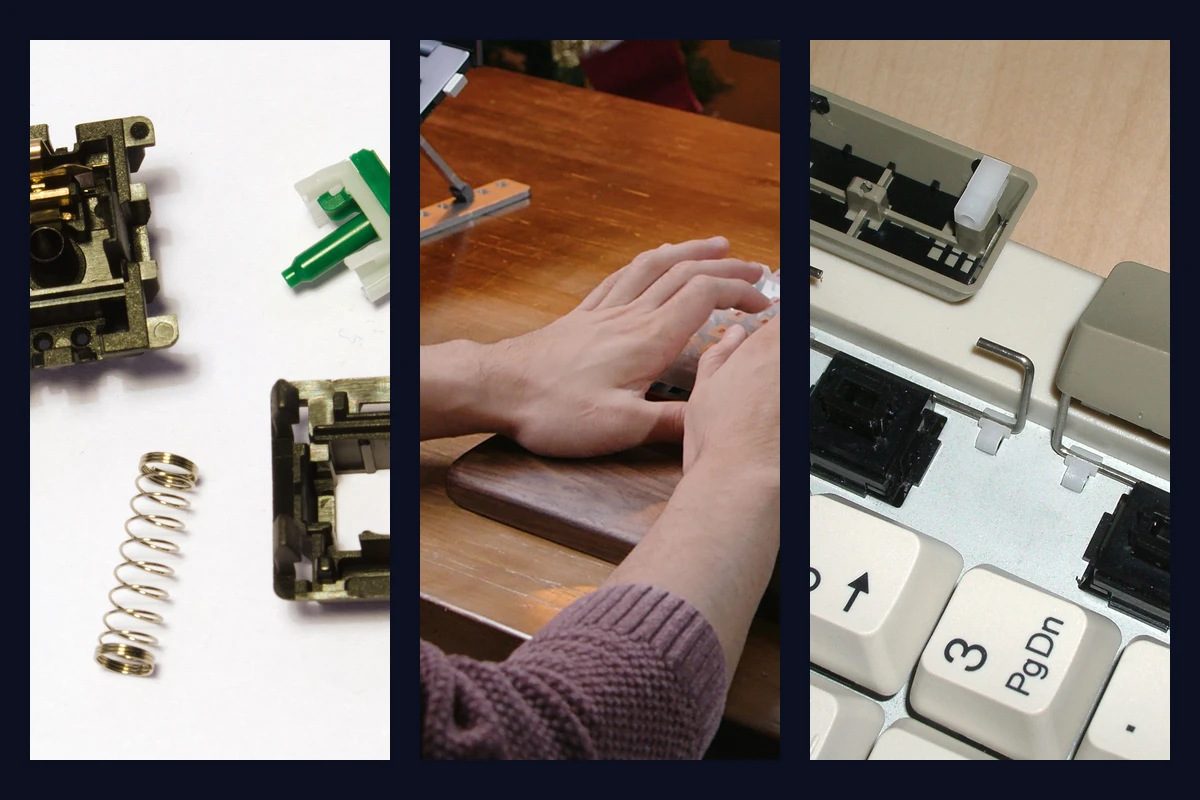
No type is universally fastest. Actuation force, spring weight, travel, keycap profile, hand technique, and fatigue all matter. A switch that feels quick in a ten-minute test may be tiring over a full workday.
.jpg)

Sound and shared spaces
Keyboard noise comes from more than the switch. Bottoming out, keycap material, stabilizers, plate, case cavity, desk surface, and dampening all contribute. A “silent” switch can still make impact noise, while a well-tuned non-clicky board can be much less intrusive than a hollow budget board.
If you work near another person, prioritize a quiet switch and a board with controlled stabilizers before RGB or a display. If you enjoy loud clicky sound, confirm that your room and schedule can accommodate it.
Stabilizers and the large keys
Stabilizers keep the spacebar, Shift, Enter, and Backspace level when pressed off-center. Poor stabilizers rattle, bind, or feel inconsistent. This affects both gaming and typing because these keys are used constantly. Reviews that show the board in use can tell you more than the word “gaming” on the box.
Features that overlap
NKRO and anti-ghosting
N-key rollover (NKRO) describes a board’s ability to register many simultaneous keys. Anti-ghosting generally refers to preventing unintended key events from the switch matrix. They are related but not identical marketing terms. Most modern mechanical keyboards provide enough rollover for common games, but check the specification if you use unusual combinations, old USB modes, or a console.
Do not pay twice for the same promise. Look for the actual rollover mode, how it behaves over USB or wireless, and whether the board has a compatibility toggle.
Macros and remapping
QMK, VIA, and manufacturer software can support remapping, layers, profiles, and macros. These are useful for MMO actions, accessibility, editing, or repetitive work. Rules for macros differ by game, so check the game’s terms before automating actions.
Hardware macro keys are convenient but take desk space. A compact board with layers can achieve similar results without extra keys if you are willing to learn the map.
Layout and desk position
A TKL or 75% can leave more room for a low-sensitivity mouse than a full-size board. A 65% can keep arrows while freeing more space. A 60% provides maximum room but moves arrows and F-keys to a layer. Read the keyboard sizes guide before choosing based on a percentage alone.
What is mostly preference
- RGB patterns and case styling.
- A rotary knob or screen, unless you will use it.
- Brand-specific software, unless your required profiles depend on it.
- “Gaming” switch colors without published force and travel details.
- Sound words such as “thocky” or “creamy,” which are not standardized measurements.
A board can look understated and perform excellently. It can also look like a gaming product and still have poor stabilizers, awkward software, or a layout that crowds your mouse.
Pick the right type for your mixed use
| Your situation | Prioritize | A reasonable direction |
|---|---|---|
| Competitive PC games, desk-bound | Reliable wired or 2.4 GHz path, stable firmware, controllable switches | TKL, 75%, or 65% with the switch feel you can press consistently |
| Games plus office typing | Layout, comfort, sound, hot-swap, and dependable connection | Hot-swap 65%, 75%, or TKL with linear or tactile switches |
| Long writing or coding sessions | Force, fatigue, stabilizers, keycap feel, and noise | Any size that keeps your frequent keys, with a tested switch feel |
| Laptop and tablet work | Bluetooth multi-device behavior and battery access | Bluetooth or tri-mode, checking wake-up and device switching |
| MMO or macro-heavy workflow | Firmware, layers, macro rules, and enough dedicated keys | Programmable TKL, 75%, or a board with a well-documented keymap |
Gaming and typing checklist
- I know whether my priority is latency, comfort, portability, sound, or a mix.
- I selected a layout that leaves enough mouse room without hiding needed keys.
- I compared measured or documented connection behavior, not only a marketing label.
- I understand what the polling-rate number does and does not measure.
- I chose switch force and feel based on sustained use, not a ten-minute trend.
- I checked rollover, anti-ghosting, and macro rules for my actual platform and games.
- I considered the people who will hear the keyboard.
- I treated rapid trigger, RGB, knobs, and displays as optional unless I have a clear use.
Bottom line
The best gaming-and-typing keyboard is usually the one that makes both activities easy: a comfortable layout, a switch you can control, a quietness level your room accepts, and a wired or wireless connection appropriate to your priorities. Read the first keyboard buying guide and budget planning guide to turn that list into a purchase plan.
Do not buy a gaming label to solve a typing problem, or a typing label to make an untested latency promise. Buy the parts of the experience you can explain.